
Documentation Index
Fetch the complete documentation index at: https://docs.zephior.ai/llms.txt
Use this file to discover all available pages before exploring further.
What are Projects?
Projects are dedicated workspaces for managing RFP responses from start to finish. Each project contains uploaded documents, extracted questions, generated responses, and team collaboration tools.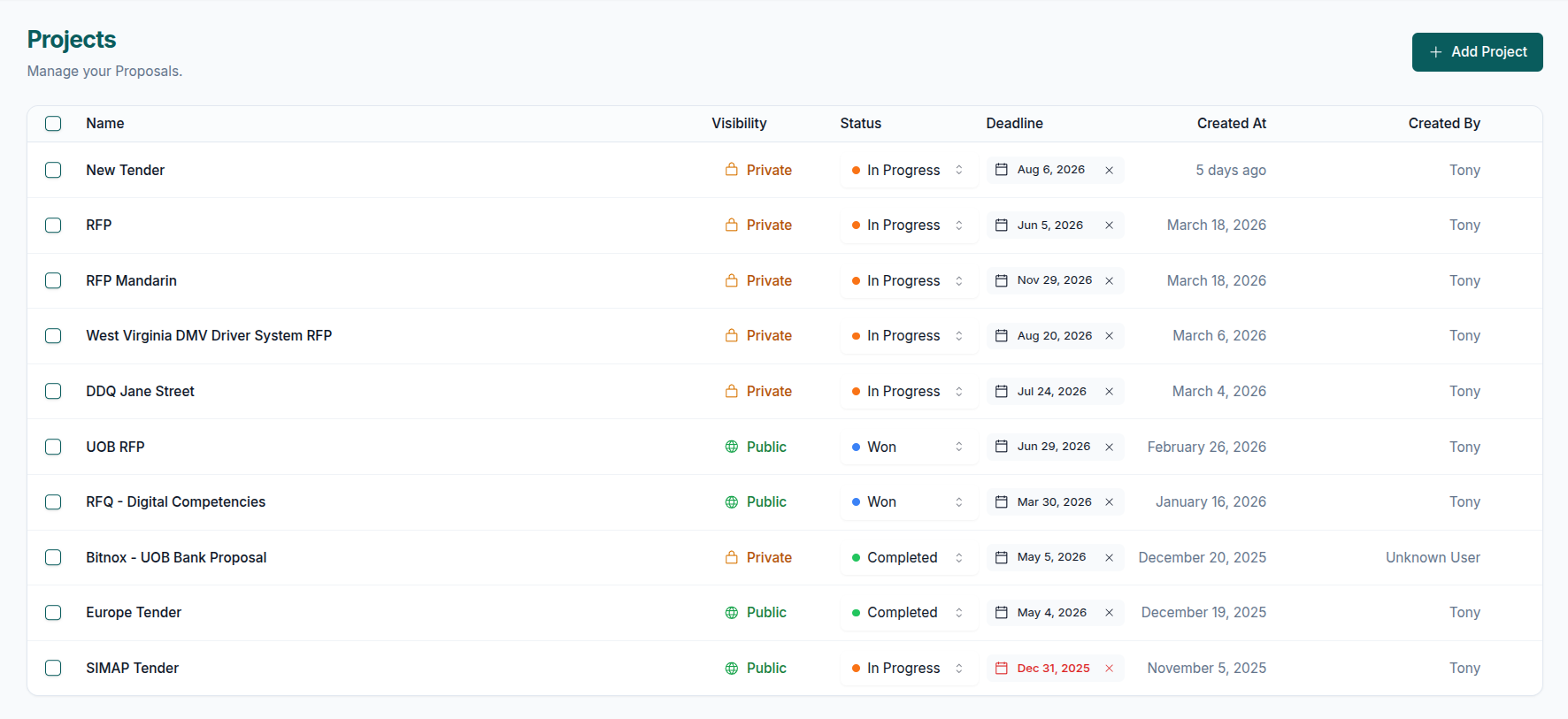
Key Features
| Feature | Description |
|---|---|
| Question Extraction | AI automatically extracts questions from uploaded RFPs |
| Bulk Generation | Generate responses for all questions at 3-4 per minute |
| Trust Scores | Confidence indicators for each response |
| Source Citations | Every response references Library content |
| Team Collaboration | Multiple users can edit and approve responses |
| Artifacts | Ziva can create interactive trackers, boards, checklists, and decision matrices in the workspace |
| Export | Download completed projects as ZIP files |
How It Works
Use Cases
RFP & Proposals
- Security questionnaires (CAIQ, SIG, custom)
- Technical RFPs with architecture requirements
- Commercial proposals with pricing and terms
Due Diligence
- M&A documentation and assessments
- Investor due diligence questionnaires
- Vendor risk evaluations
Compliance
- SOC 2 and ISO compliance questionnaires
- GDPR compliance documentation
- Regulatory requirements
Project Workflow
Creating Projects
Set up a new project workspace
Custom Sources
Select which Library sources to use
Custom Context
Configure response tone and style
Response Generation
Generate AI responses in bulk
Edit & Approve
Review and approve responses
Export
Download completed projects
Artifacts
Create interactive workspace apps with Ziva
Team Collaboration
- Unlimited team members - No per-seat pricing on Business tier and above
- Role-based access - Admins and members have different permissions
- Real-time editing - Multiple users can work on the same project
- Approval workflow - Track which responses are approved
Limitations
- Projects require content in your Library for response generation
- Very large RFPs (500+ questions) may take longer to process
- Export format is currently ZIP only
Getting Started
- Ensure you have content in your Library
- Navigate to Projects in the top navigation
- Click New Project to create a workspace
- Upload your RFP document and follow the workflow
Creating Your First Project
Step-by-step guide to project setup