
Documentation Index
Fetch the complete documentation index at: https://docs.zephior.ai/llms.txt
Use this file to discover all available pages before exploring further.
What are Artifacts?
Artifacts are interactive workspace apps that Ziva can create from your source materials. Instead of only generating a document, Ziva can build editable trackers, boards, checklists, matrices, and registers that live directly in your source workspace.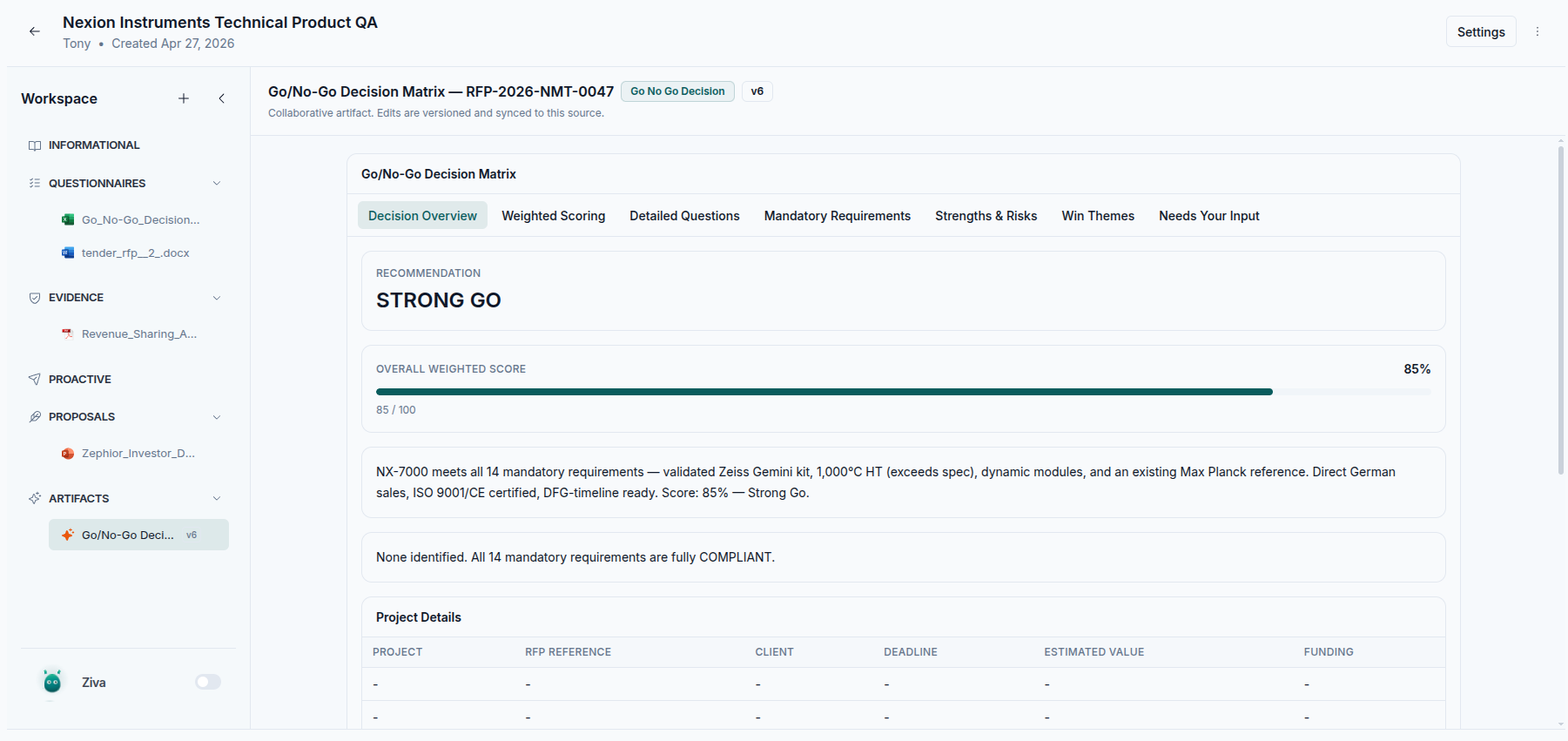
What You Can Create
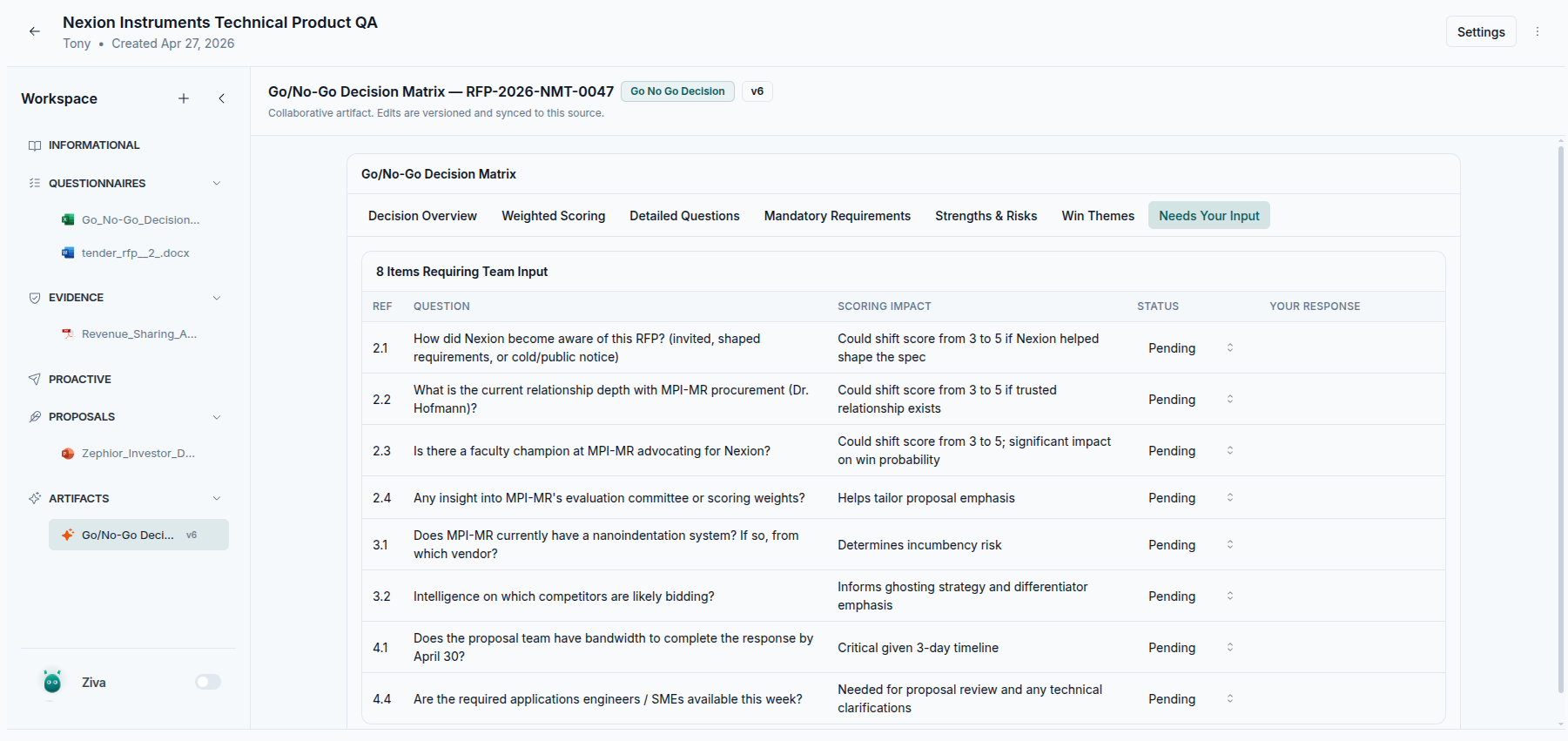
Ask Ziva to create artifacts such as:- Go/no-go decision matrices with weighted criteria, scores, notes, and a final recommendation
- Readiness trackers with owners, statuses, blockers, and completion scores
- Risk registers with severity, likelihood, mitigation, owner, and status
- Submission checklists grouped by legal, technical, pricing, and administrative workstreams
- Task boards with To Do, In Progress, Blocked, and Done columns
- Review trackers for approvals, missing inputs, and follow-up actions
How Artifacts Work
Ask Ziva to build one
Describe the artifact you need in plain language. Ziva uses the files and context in your workspace to structure it.
Open it from the workspace
Created artifacts appear under Artifacts in the workspace sidebar, next to the files in the same source.
Review and update
Click through tabs, tables, cards, and fields directly in the artifact. Authorized team members can update supported values such as statuses, owners, dates, and notes.
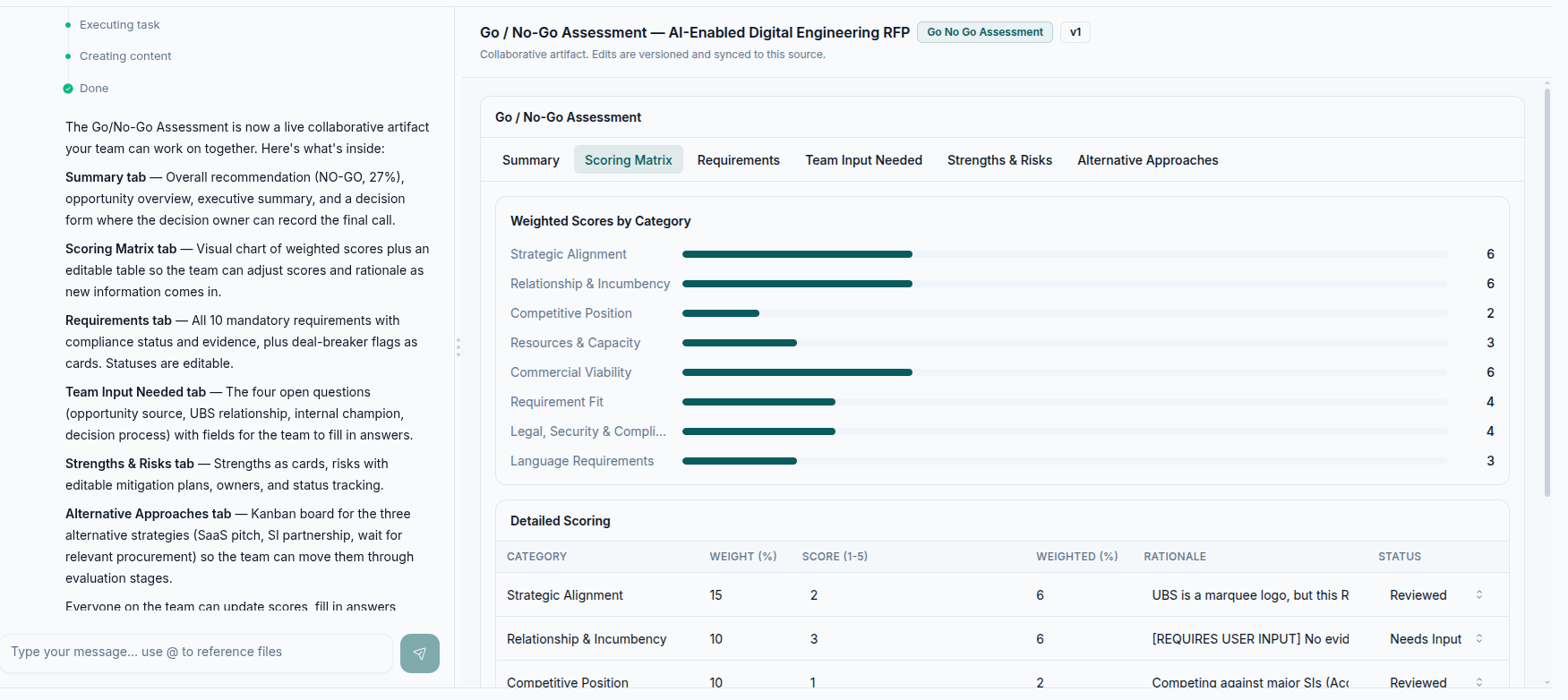
Example: Decision Matrix
A decision matrix can combine a recommendation, weighted score, mandatory requirements, risks, and open input requests in one place.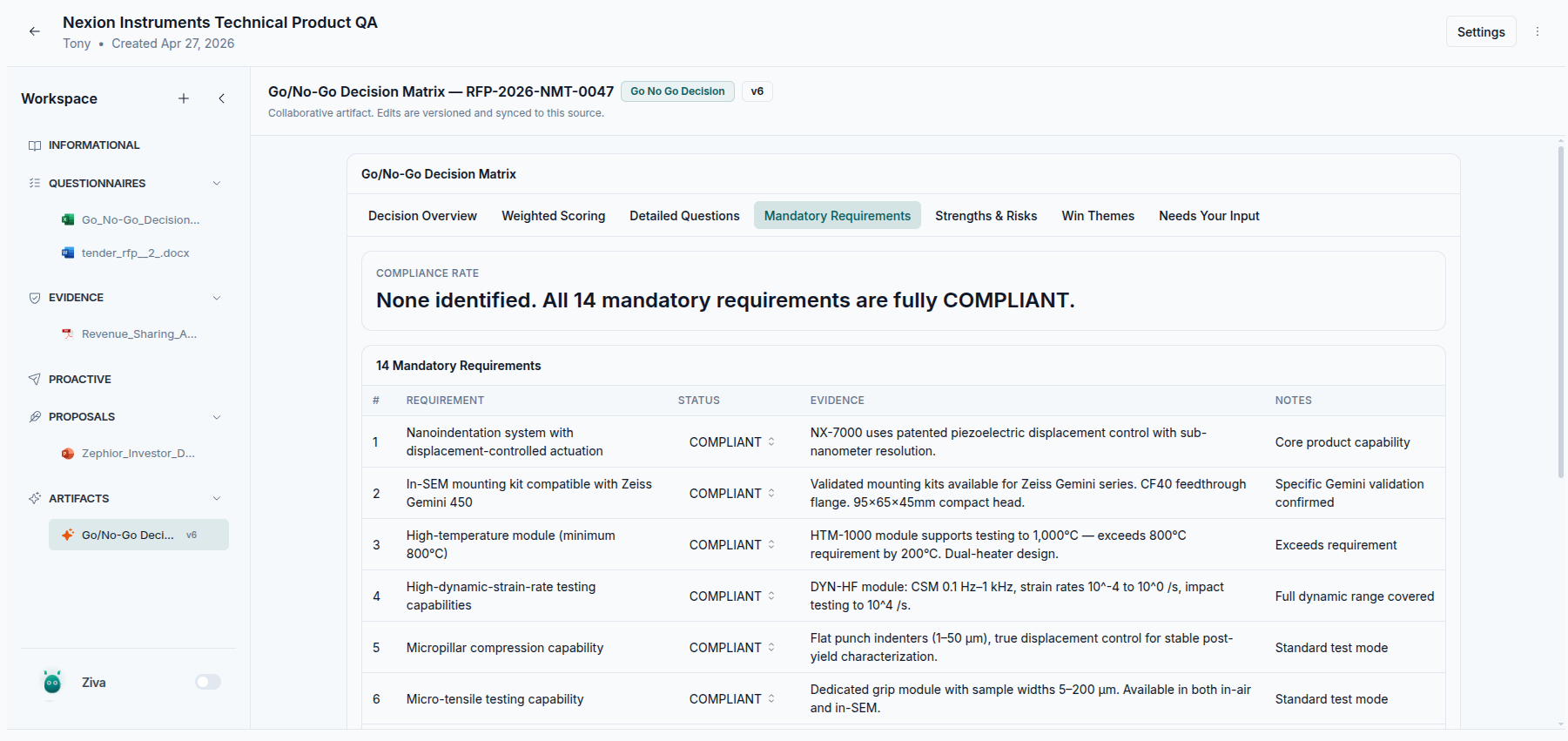
Turn a File into an Artifact
You can also ask Ziva to transform an existing workspace file into an artifact your team can update together.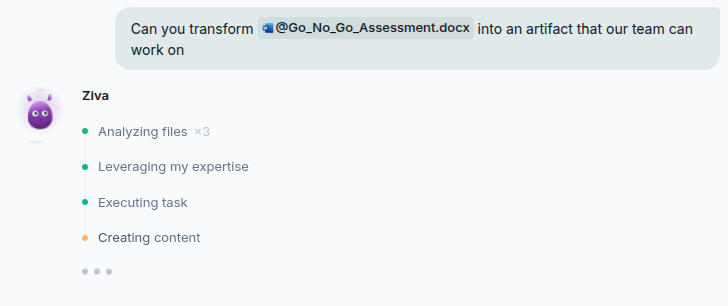
Collaboration and Saving
Artifacts are saved with the source automatically. If you leave and come back later, the artifact remains available from the workspace sidebar with its latest version. When multiple people are working in the same source, artifact updates stay current for everyone viewing that workspace. The same source access rules apply: users who can view the source can view its artifacts, and users with edit access can update supported artifact fields.You can open artifacts even when Ziva is turned off. Turn Ziva on when you want to ask questions, request changes, or use selected artifact text as context in chat.
Using Artifacts with Chat
Artifacts work with the same review flow as workspace files:- Select text in an artifact and add it to chat as context for your next message
- Ask Ziva to update, shorten, expand, or reorganize a section
- Reference the artifact when asking Ziva to make a decision, extract risks, or create a follow-up document
- Download an artifact in a portable structured format, or include it when exporting a source archive
Example Prompts
Related
Proposal Generation
Work with Ziva to create documents and interactive workspace apps
Projects Overview
Learn how project workspaces are organized
Export
Download project files and source archives
Access Control
Control who can view and edit source content